Verified local redaction

PDF Editor Offline

Redact sensitive text on your machine—and get evidence that it is actually gone. No account, document upload, analytics, or cloud storage.

Local-first Content-free proof Copy-first edits
PDF Editor Offline product header
9 Trust Lab fixtures
8 stable evidence schemas
0 document telemetry
3 independent engines

Public compatibility evidence

PDF Trust Lab

Nine synthetic fixtures run across PyMuPDF, pdfplumber, and PDFium. Release results publish page consensus, extraction counts, render deltas, engine versions, and stable JSON schemas—never document content.

Desktop release channel

Download for your OS

Signed 3.0.0 installers appear on the immutable GitHub Release only after signing, notarization, clean-machine smoke tests, checksums, SBOMs, and provenance all pass. The channel stays closed while any gate is missing.

Windows

Windows 10/11 · x64 · NSIS installer

Open releases

macOS Apple Silicon

macOS 11+ · arm64 · notarized DMG

Open releases

Linux

Ubuntu 22.04/24.04 · x64 · AppImage or DEB

Open releases
3.0.0 release candidate Installer links activate only when every production-signing gate is green. Source, PyPI, and Docker remain available below. How to verify a download

What the repo supports

One local toolchain for common PDF jobs

The public surface is split into web workflows, API endpoints, CLI commands, and reusable Python core modules.

01

Edit and annotate

Page editing, metadata, watermarks, signatures, drawings, comments, images, file attachments, popup notes, polygons, and annotation appearance controls.

02

Convert both ways

PDF export to Word, PowerPoint, Excel, JPG, Markdown, TXT, EPUB, SVG, and PDF/A, plus document, text, image, CSV, JSON, and HTML imports.

03

Manipulate pages

Merge, split, extract, insert, duplicate, organize, rotate, crop, resize, compress, repair, number, and remove blank pages.

04

Protect privacy

AES PDF protection, granular permissions, unlock, metadata cleanup, hidden data cleanup, permanent redaction, temp cleanup, and safe upload validation.

05

Inspect before sharing

Content-free accessibility inspection, visual and semantic change review, Safe Edit refusal gates, redaction proof, and versioned Trust Lab evidence.

06

Automation ready

FastAPI routes, Typer commands including inspect-accessibility and content-edit-check, stable JSON schemas, batch examples, local sample PDFs, and browser-tested workflows.

Local workflow

Upload locally, operate locally, export locally.

  1. Start the app Run the backend and Vite frontend, then open the local web workspace.
  2. Load a PDF Use the editor upload flow or API upload endpoint. Files stay in local app storage.
  3. Choose a tool Edit pages, convert files, manage navigation, add annotations, clean metadata, or run batch work.
  4. Export the result Save the edited PDF or download converted outputs from the browser, CLI, or API.

60-second product proof

Watch the sensitive text disappear.

A real capture of the local app with the repository's synthetic redaction PDF. No staged dashboard, no production document, no cloud service.

Silent 60-second sequence: verify the local runtime, load the synthetic sample, find two SECRET_TOKEN matches, redact both, verify zero matches, and inspect the result.

Reproduce in under five minutes

  1. Confirm local.Loopback API, token required, telemetry off.
  2. Load the fixture.Use the public synthetic redaction sample.
  3. Find before editing.Expect exactly two target matches.
  4. Redact and verify.Apply both areas, then expect zero matches.
  5. Export and reopen.Repeat the search on the saved copy.

Captured proof

Real screenshots from the local app

These images were captured after real API-backed operations using the sample PDFs included in this repository.

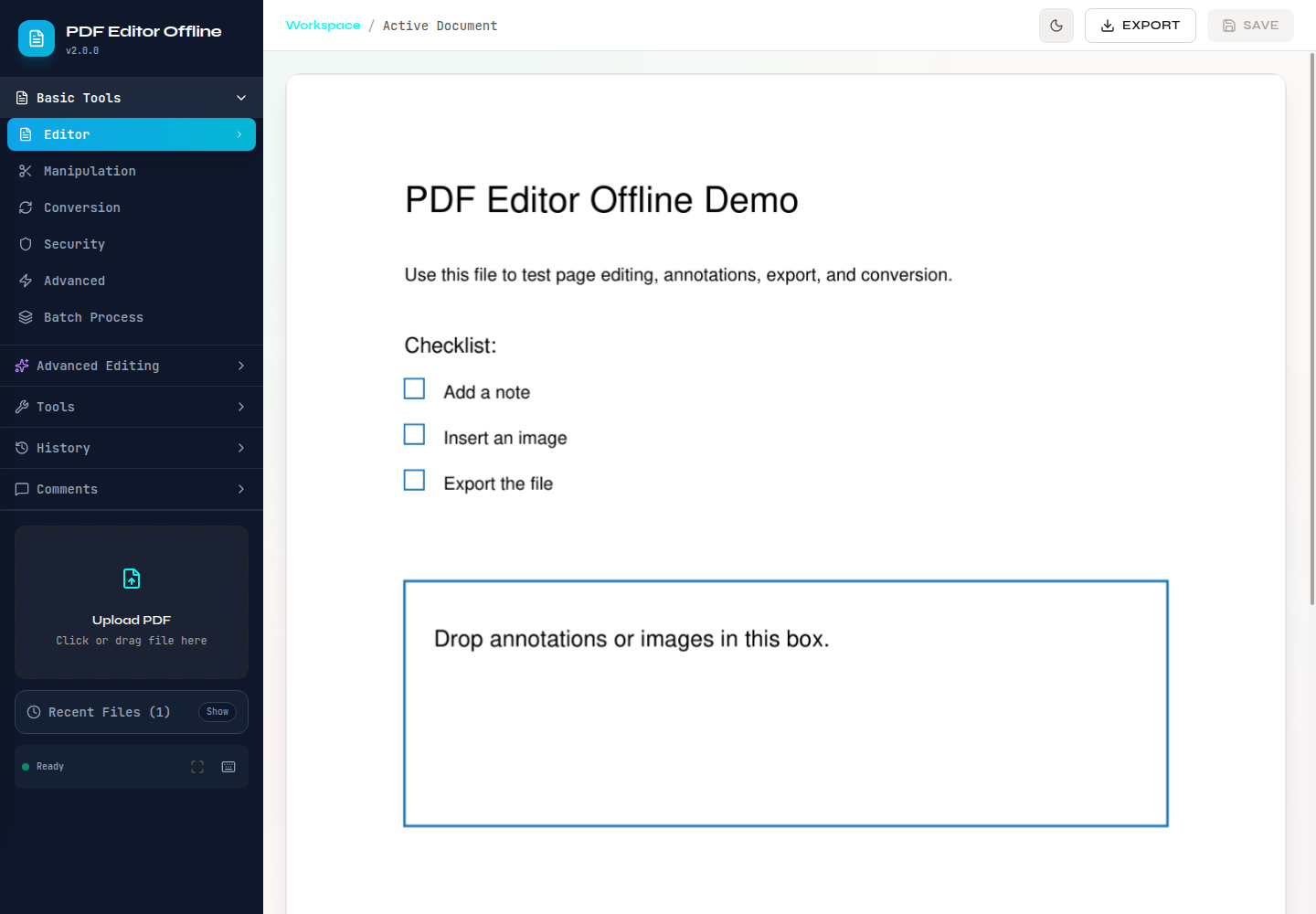
Editor workspace after uploading demo-basic.pdf.
Text search, font data, and permanent redaction.
File attachment annotation created through the web app.
Metadata and hidden-data cleanup tools.
Two sample PDFs merged successfully.
PDF to TXT conversion from the conversion panel.

Source and automation

Use PyPI, source, or Docker.

The repo supports a Python package, local web app, Docker image, and direct Python imports.

Install from package
pip install pdf-editor-offline
Run from source
git clone https://github.com/OthmaneBlial/pdf-editor-offline.git
cd pdf-editor-offline
pip install -e ".[dev]"
./start.sh
CLI examples
pdf-editor-offline extract text input.pdf
pdf-editor-offline extract images input.pdf --output-dir ./images
pdf-editor-offline edit metadata input.pdf title "Quarterly Report"
pdf-editor-offline add image input.pdf stamp.png 0 100 120 180 80 --output stamped.pdf

Local fixtures

Sample PDFs included for demos and smoke tests

Deeper documentation

Need the full project map?

The docs page covers architecture, tool categories, API surface, security and privacy, examples, release checks, and copied source docs.

Open documentation